CARDIAC › Programming basics › Targeting the Terminal
Beyond the basics: targeting the Terminal
CARDIAC's output is a stack of cards with numbers on them. Cardigan's Terminal reads each number as a
character instead, so a program can print text, draw pictures and colour them.
Opening the Terminal
Click terminal in the status bar, or the screen button in the debug toolbar. The Terminal opens in its own
window, so allow pop-ups for the page if your browser asks. Every value the program outputs goes to it as well as
to the paper strip. The bar along its top has four settings:
- cards as: numbers, one value to a line, or characters. Cardigan's own text examples
switch it to characters when they load. For a program of your own, pick it here.
- size: fit the window, or a fixed 80 x 24, 80 x 25, 132 x 24 or 40 x 25.
- default colour: for text the program hasn't coloured itself.
- easy: on by default. A newline also returns the carriage, typing takes numbers, and a halt puts the
colours back.
One card, one character
As characters, a value is a character code:
| Values | Characters |
|---|
| 0 to 127 | ASCII: 65 is A, 32 a space, 10 a newline, 27 the escape that starts a colour code |
| 128 to 255 | the IBM PC's characters (code page 437): accented letters, box drawing, and the shades and
blocks ░ ▒ ▓ █ at 176, 177, 178 and 219 |
| 256 to 999 | the Unicode character with that number |
| negative | nothing |
An OUT prints one character, so text costs an instruction a letter, and each different letter needs a
cell holding its code. 01-hello prints Hello, World! and a newline with 14 OUTs and 11
cells of codes: the l and the o are used more than once.
 01-hello: fourteen cards, fourteen characters.
Numbers as text
A value printed as a character isn't its digits: 42 is *. To print a number, print its digits, each
as its code. The digit d is code 48 + d, and a shift cuts each digit out of the accumulator:
SFT 02 leaves the hundreds, SFT 23 the tens and SFT 33 the units. Add 48 to
each and output it.
Reading a number is easier. With easy on, type a number from -999 to 999 in the Terminal and press
Enter: it goes into the reader as one card, for the next INP. 06-sum does both. It
prints a prompt, reads A and B, and prints their sum, sign and all.
 06-sum: the two numbers typed in the Terminal, the sum worked out and printed digit by digit.
Pictures
A picture is rows of characters, each row ended by a newline. 07-circle and 08-smiley print 15 rows
of 31. A character is inside the circle when dx² + 4dy² ≤ 225, where dx and dy are its distance from the middle,
counted in columns and rows; the 4 is there because a row of text is about twice as tall as a column is wide. CARDIAC has no
multiply, so the programs never square anything: moving one column changes dx² by the next odd number, and they
add that.
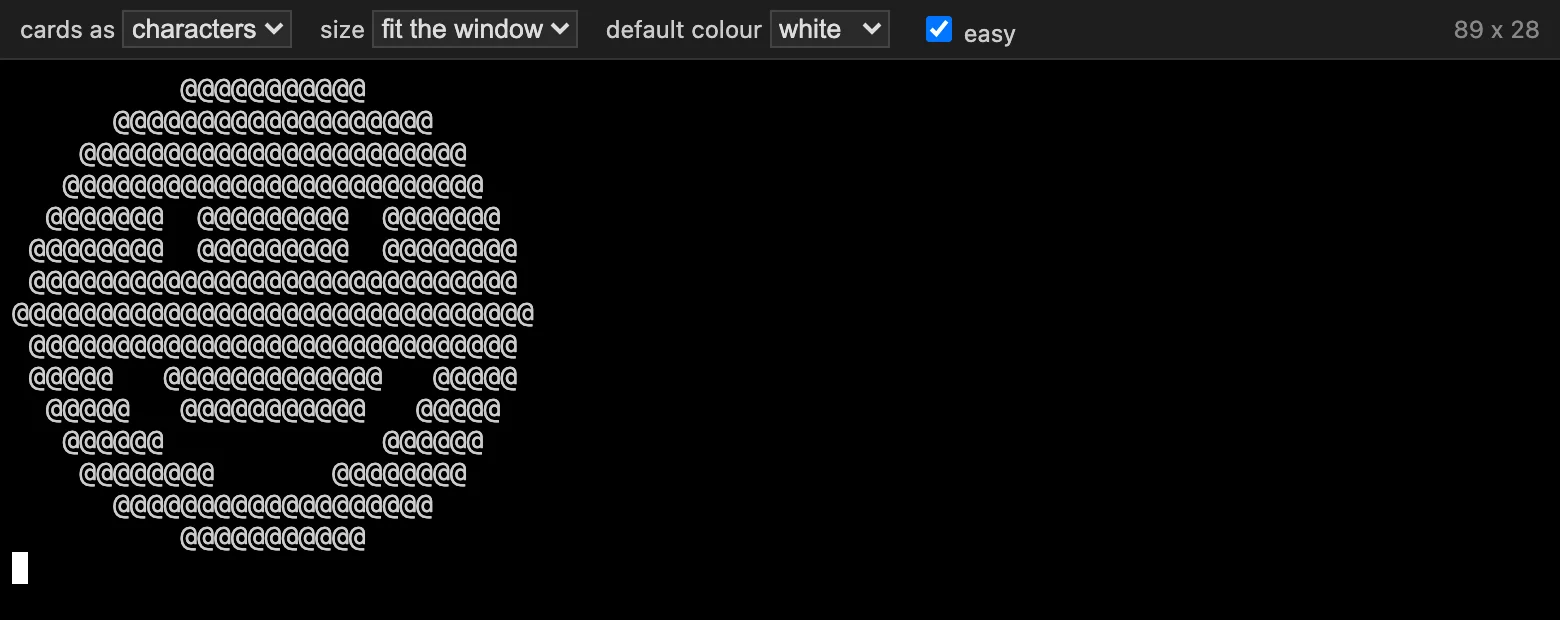 08-smiley: the circle, with a face.
Colour
The Terminal understands ANSI escape codes, the colour codes terminals have used since the late 1970s. A code starts
with ESC, 27, and each of its characters is one more OUT: green, ESC [32m, is the five
cards 27, 91, 51, 50, 109. ESC [38;5;208m picks colour 208 of 256, an orange, and ESC [0m
puts the colours back. 09-pumpkin prints the circle with a green top row and the rest in orange.
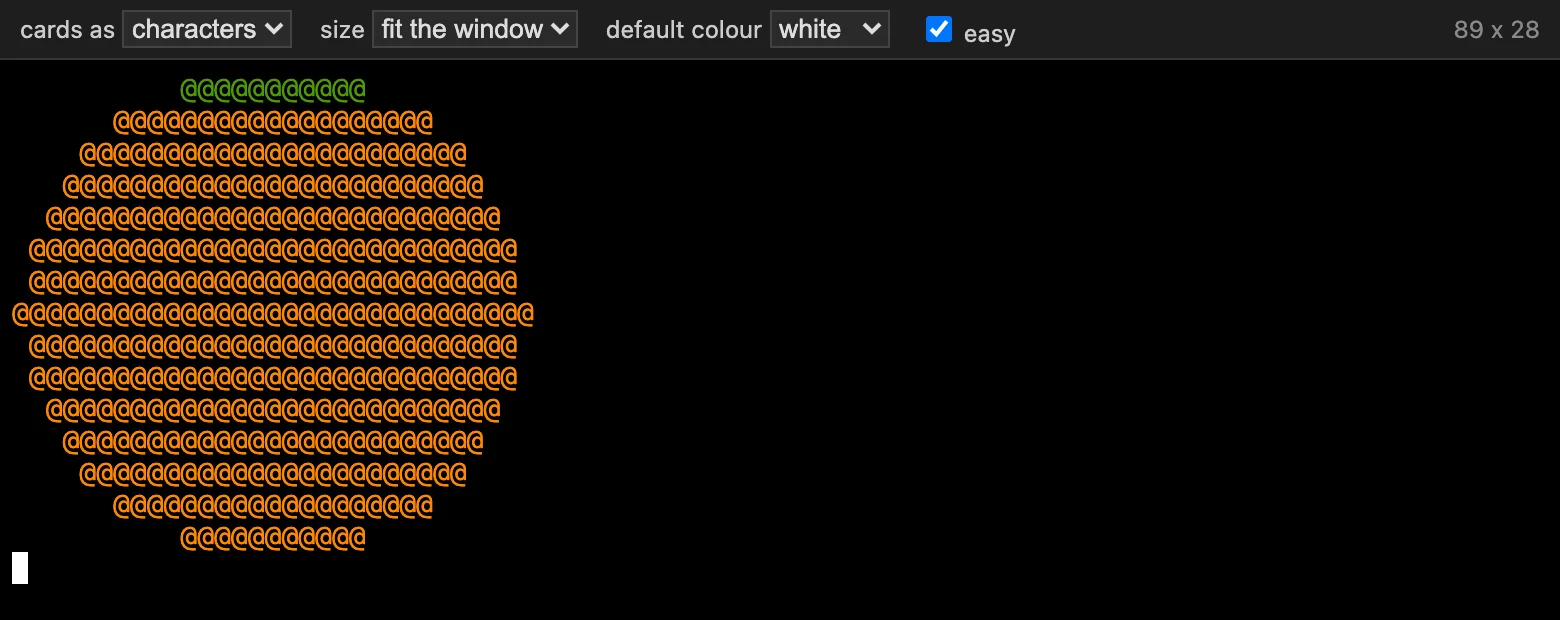 09-pumpkin: two colour codes and the circle.
A program can also set the Terminal's size, as a program on an xterm does: ESC [8;24;80t asks for 24
rows of 80 columns.
Typing
With easy on, the Terminal takes numbers only, a line at a time: you can correct what you type, and
Enter sends it as one card. A letter, or a fourth digit, beeps and is refused. With easy off,
every key goes into the reader as a card holding its character code. Either way, the Terminal's own answers go
straight in as cards, such as where the cursor is when a program asks with ESC [6n.
Try them
Open the Terminal first, then run the program.